On this page
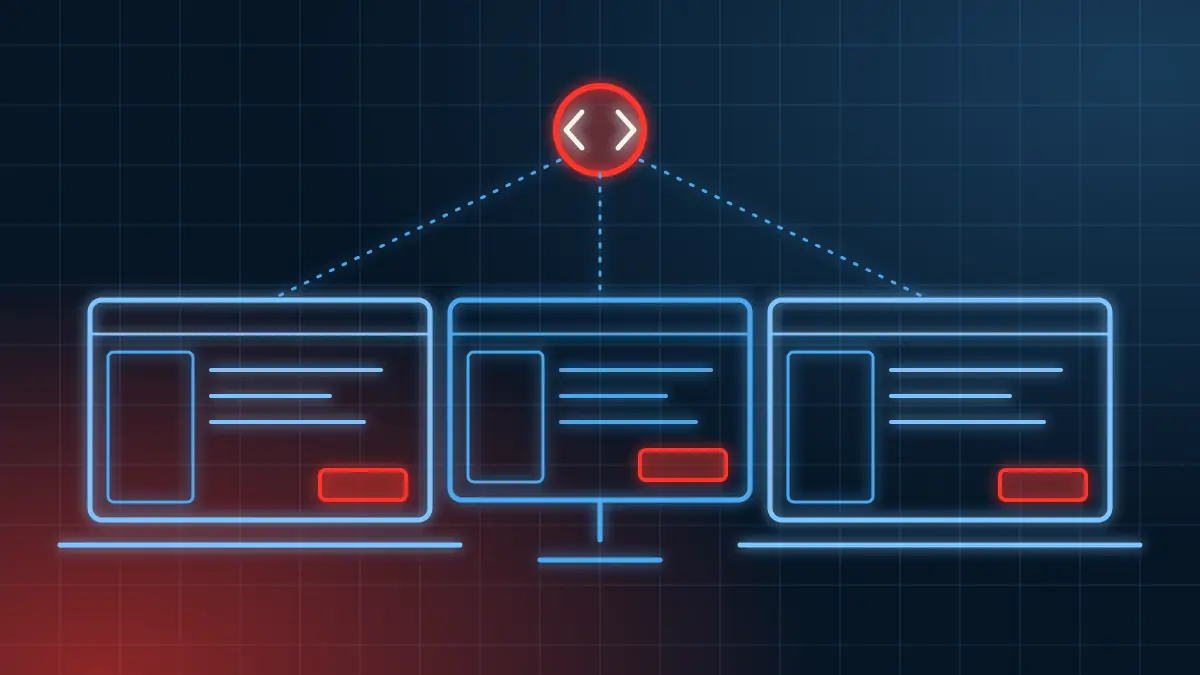
CrizaVoise, our free billing app, is a Flutter app that runs on Windows, Linux and macOS from one codebase. Flutter handled the interface well. Most of the work went into the parts a phone app never has to think about: where data lives, how the app gets installed, which printers it can reach, and what happens when Windows does not recognise the publisher.
These are the lessons from shipping version 1.0.0. The full code is on GitHub, so you can check any of it.
The stack
| Part | What we used |
|---|---|
| Interface | Flutter 3 (stable), Material widgets with our own design tokens |
| State | Riverpod |
| Database | SQLite through sqflite and sqflite_common_ffi |
| PDFs and printing | The pdf and printing packages, plus our own ESC/POS encoder for receipt printers |
| Languages | ARB files and Flutter's gen-l10n, in eight languages |
| Releases | Inno Setup on Windows, FastForge and appimagetool on Linux, a .dmg on macOS, all from GitHub Actions |
SQLite on the desktop needs FFI
The usual sqflite plugin talks to SQLite through iOS and Android code. On Windows, Linux and macOS there is no such layer, so desktop builds use sqflite_common_ffi, which calls SQLite through Dart's foreign function interface. Initialise it once at startup, before the first database is opened, and the rest of your database code stays the same.
Then decide where the database goes. We keep business data in the standard per-user location on each system, outside the install folder:
- Windows: `%APPDATA%\Criza Labs\CrizaVoise\`
- Linux: `~/.local/share/dev.criza.crizavoise/`
- macOS: `~/Library/Application Support/dev.criza.crizavoise/`
Keeping data out of the install folder means an update or uninstall never touches it, and a user without admin rights can still write to it.
Make it fast at shop scale, and prove it
A billing app that pauses while someone waits at the counter is a bad billing app. We wrote a benchmark test that fills a real SQLite file with 300 products, 500 customers and 5,000 invoices (15,000 lines), then times the common operations.
| Operation | Median time |
|---|---|
| First page of the invoice list | 11.2 ms |
| Product search by name | 0.8 ms |
| Product search by quick code | 0.6 ms |
| Next invoice number | 9.2 ms |
| Saving one invoice with its items and stock | about 21 ms |
The test fails if any step takes longer than 500 ms, so a slow query cannot slip into a release unnoticed. These figures are from one development PC, so treat them as a baseline, not a promise for every computer.
One change made a visible difference: PDF fonts used to load every time a document was made. Now they load once in the background after sign-in, so invoices open faster.
A Windows installer that just works
Flutter builds a folder of files, not something a shop owner can install. We used Inno Setup to turn it into one setup file, and three settings mattered most.
- Install for the current user by default. No admin password is needed, which matters on shared shop computers. People can still choose to install for all users.
- Bundle the Visual C++ runtime. A Flutter Windows app needs Microsoft's C++ runtime DLLs. Many PCs have them, but not all, and the failure is a confusing error on first launch. Shipping the DLLs beside the app avoids it.
- Never change the AppId. Windows uses it to recognise an installed app, so the same ID lets a new version install over the old one.
The installer also leaves business data alone on uninstall, because losing a year of invoices to a reinstall would be unforgivable.
Code signing is the step you cannot skip forever
Our 1.0.0 installers are not code-signed yet. On Windows, SmartScreen shows a warning until people choose More info and Run anyway, and Smart App Control blocks unsigned apps outright. It even blocked our own local test runs until we turned it off on the development PC. macOS asks users to allow the app once under Privacy and Security.
We say this plainly on the download page, but a signing certificate is on the list. If you are building a desktop app for a business, budget for one from the start.
Build every platform in CI
Nobody wants to keep three computers to make one release. A GitHub Actions workflow runs when we push a version tag:
- A Windows runner builds the release and runs Inno Setup.
- Ubuntu 22.04 and 24.04 runners build .deb packages with FastForge.
- A Linux runner builds an AppImage with appimagetool.
- A macOS runner builds the .dmg.
- A final job attaches every file to a GitHub release.
One detail cost us time: our first AppImage tool compressed the image with xz, which AppImageHub could not mount. Switching to appimagetool fixed it.
Fonts for Indian scripts are most of the weight
CrizaVoise prints customer and product names in Hindi, Gujarati and other scripts, so the PDFs need fonts that contain those letters. Of the 12 MB of assets in the Windows build, about 11 MB is fonts. The whole release folder is 59 MB.
There is also a limit we have not solved. The PDF library does not fully shape Indic text, so some Gujarati and Hindi conjunct letters may not join correctly in PDFs. On screen they are fine. We list this as a known issue rather than hide it, and loading fonts only for the languages a shop uses is our next size win.
Printers are their own small world
Receipt printers mostly speak ESC/POS, a simple command language for receipt printing. We wrote our own encoder so the app sends exactly the bytes it means to. It also stopped a pair of extra bytes that printed stray dots on some printers. Receipt printers have no ₹ character in their built-in fonts, so receipts print "Rs." while A4 invoices keep the symbol.
Accessibility is cheaper early
Every icon-only button has a label for screen readers, all text meets WCAG AA contrast in both themes (a test checks it), and there is a reduce motion setting that also follows the computer's own setting. The app can read invoices and totals aloud, which helps on a busy counter. Doing this while building was far easier than adding it afterwards.
Would we use Flutter for a desktop app again?
Yes, for business apps built around forms, lists, reports and printing. One codebase gave us three platforms, and the interface code barely needed to know which one it was on. Plan for the desktop-only work: installers, data locations, printers and signing.
If you need a desktop or mobile app for your business, see our mobile and app development service, or read how we choose between custom and ready-made software.
Sources
All pages were accessed on 10 November 2026.
- CrizaVoise source code, GitHub
- CrizaVoise performance baseline, GitHub
- sqflite_common_ffi, pub.dev
- Flutter desktop support, Flutter documentation
- Inno Setup, JR Software
Frequently asked questions
Is Flutter good for desktop business apps?
For forms, lists, reports and printing, yes. One codebase built CrizaVoise for Windows, Linux and macOS. Plan time for the parts phones do not have: installers, file locations, printers and code signing.
How do you use SQLite in a Flutter desktop app?
Use sqflite_common_ffi, which runs SQLite through Dart's foreign function interface on Windows, Linux and macOS, and initialise it before opening the database. On phones, the regular sqflite plugin is used.
Why does Windows warn about an unsigned Flutter app?
Windows SmartScreen and Smart App Control check for a code-signing certificate and a download reputation. Until the installer is signed, users see a warning and must choose to run it anyway.
How large is a Flutter desktop app?
CrizaVoise's Windows release folder is 59 MB, of which 21.3 MB is compiled Dart code and about 11 MB is fonts. Your size depends mostly on assets and fonts.