On this page
A QR code is the quickest way to move someone from a printed page, a counter or a poster to something on their phone. Making one takes seconds. Making one that scans first time, every time, takes a little more care, and that is what this guide covers.
This is general information for businesses, checked on 11 November 2026. Phone cameras and apps change, so test your own codes before you rely on them.
What can a QR code open?
A QR code can hold a web address, plain text, Wi-Fi login details, a contact card, a calendar event, a phone number, an email, an SMS, a map location or a payment request. The phone decides what to do from the format of the content. For example, a code that starts with `WIFI:` offers to join a network, and one that starts with `upi://pay` opens a UPI app.
The most useful kinds for a small business are:
- Website or page: menus, catalogues, price lists, booking pages and order forms.
- Wi-Fi: guests join your network without asking for or typing the password.
- UPI payment: customers pay your UPI ID from any UPI app, at the counter or on a bill.
- WhatsApp chat: customers message you without saving your number first.
- Contact card: your details save straight into the phone's contacts from a visiting card.
- Review link: customers reach your Google review page in one scan.
Our free QR code generator makes all of these. For WhatsApp there is also a dedicated WhatsApp link and QR code generator, and for reviews a printable Google review QR card maker.
Should you use a static or a dynamic QR code?
Use a static code unless you know the destination will change. A static code holds your content directly in its pattern. It works offline, has no scan limit and needs no service to keep running. A dynamic code holds a short link to a company's server, which then redirects to your content. That lets you change the destination and count scans, but every scan depends on that company, and many charge a monthly fee.
If you might need to change where a printed code points, there is a middle way. Make a static code for a page on your own website, such as `yourbusiness.com/menu`, and update that page whenever you need to. You keep control, and nobody else's server sits between your customers and you.
How do you make a QR code that always scans?
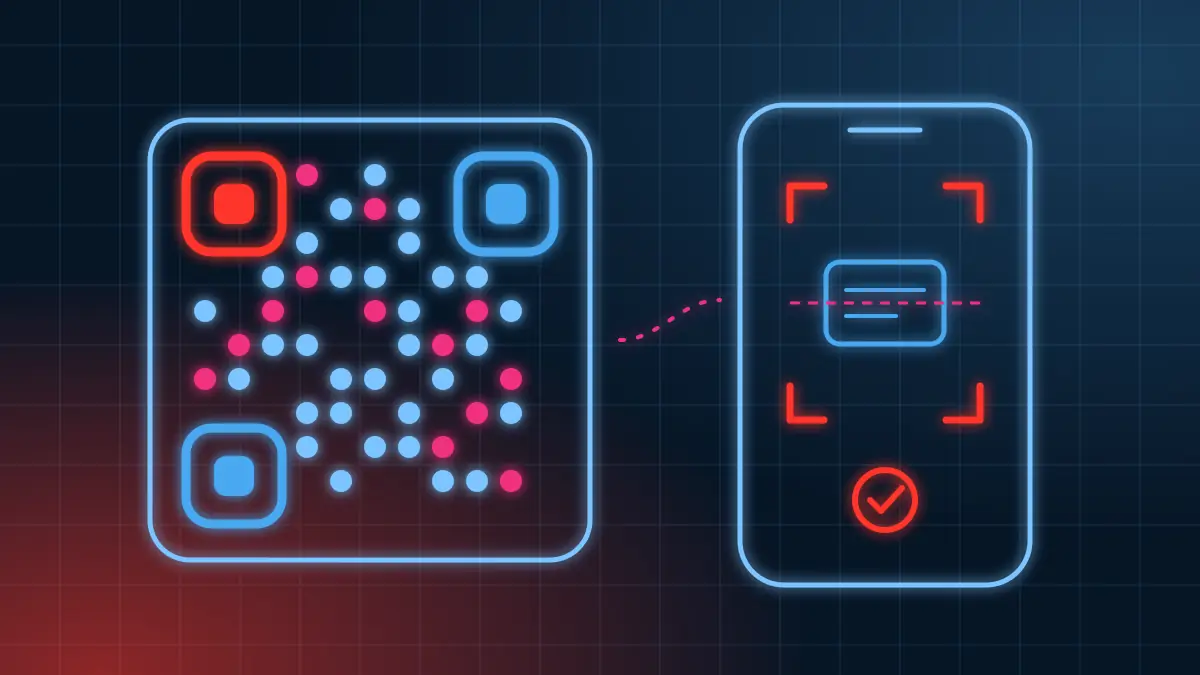
Scanners need to find the three corner squares, measure the grid and read the light and dark modules. Anything that makes those steps harder makes scanning slower or impossible. These rules matter most:
- Dark code on a light background. Many phone cameras cannot read a light code on a dark background. Keep strong contrast between the two colours.
- Keep the white border. The standard asks for a clear margin of four modules (the small squares) around the code. Do not let text or images crowd it.
- Keep the content short. More content means more, smaller modules. A short web address makes a cleaner code than a long one with tracking parameters.
- Leave the corner squares solid. Styled codes can round them or change their shape, but they must stay complete and clearly separate.
- Test before printing. Scan the final file with two different phones, ideally one Android and one iPhone, from the distance customers will stand.
Our generator checks the first three for you and warns about low contrast, inverted colours, dense codes and downloads that are too small for print.
Can you add a logo and colours safely?
Yes, within limits. QR codes carry extra error correction data, so a scanner can rebuild parts of the code that are damaged or covered. The standard defines four levels:
| Level | Share of the code it can rebuild | Good for |
|---|---|---|
| L | about 7% | Clean screens and short content |
| M | about 15% | Most printed uses |
| Q | about 25% | Codes that may get scuffed |
| H | about 30% | Codes with a logo in the centre |
A logo hides some modules, so it uses up some of that capacity. Use level H, keep the logo well under 30% of the code's width, and give it a small plain area behind it. Our generator switches to level H as soon as you add a logo and keeps the logo inside a safe size.
Colours work in the same way as contrast does on a printed page. A dark blue, green, maroon or purple code on white or a pale background scans well, and so does a gradient between two dark colours. Pale yellows, light greys and neon colours on white often fail.
What size should you print a QR code?
A common rule of thumb is that the code should be about one tenth of the scanning distance. A code read from 30 cm away, such as on a table or a visiting card, works at around 3 cm. A poster read from 2 metres needs about 20 cm. In our experience 2 cm is the smallest size worth printing, and only for short content.
Print one sample at your chosen size and scan it from where a customer would stand. Matte paper usually scans more easily than glossy lamination, which can reflect light straight into the camera.
How do you keep QR codes safe for your customers?
A printed QR code can be covered with a sticker by someone else, so check public codes regularly. This matters most for payment codes. A few habits help:
- Check your counter and table codes now and then, and replace any that look tampered with.
- Show your business name next to a UPI code, so customers can confirm it in their app before paying.
- Remind staff and customers that in UPI you scan to pay, never to receive money. A request to scan a code to receive a refund is a common scam pattern.
- Point codes at addresses you control, such as your own domain, rather than at long links from other services.
For bills, our GST invoice generator adds a UPI QR code with the exact invoice amount, so customers do not have to type it. If you bill every day, CrizaVoise, our free billing app, prints the same kind of code on thermal receipts.
Where should a small business use QR codes?
Put a code wherever a customer would otherwise need to type something:
- At the counter: UPI payment, Wi-Fi and a Google review link.
- On visiting cards: a contact card code, or a WhatsApp chat link.
- On packaging: setup videos, manuals, reorder pages and warranty registration.
- On menus and price lists: the latest version on your website, so printed copies never go out of date.
- On posters and invitations: a calendar event code that saves the date.
QR codes also help your local SEO indirectly, by making it easy for real customers to find your Google profile and leave a review.
Sources
- QR Code development story, DENSO WAVE
- What is a QR Code?, QRcode.com, DENSO WAVE
- Error correction feature, QRcode.com, DENSO WAVE
QR Code is a registered trademark of DENSO WAVE INCORPORATED.
Frequently asked questions
Is it free to make a QR code?
Yes. QR codes are an open standard, and anyone may make and use them without a licence or fee. Free generators such as our QR code generator make static codes with no sign-up. Paid services usually charge for dynamic codes and scan statistics instead.
Do QR codes expire?
A static QR code does not expire, because your content is stored in the pattern. It stops being useful only if what it points to stops working, such as a website you take down. A dynamic code depends on the service that redirects it, so it can stop when that service or subscription ends.
Can I put my logo in a QR code?
Yes, if you use high error correction and keep the logo small. At the highest level a code can rebuild about 30% of its area, so a logo covering a smaller share than that still scans. Keep the three corner squares clear and test the result.
Why does my QR code not scan?
The usual causes are low contrast, a light code on a dark background, a missing white border, a code printed too small, or a logo that is too large. Glossy lamination that reflects light and a crease through the code also cause trouble.
What is the difference between a UPI QR code and a normal QR code?
A UPI QR code is a normal QR code that holds a UPI payment link. When scanned by a UPI app, it opens a payment to the UPI ID inside it, showing the payee name and any fixed amount before the payer confirms.